PriceRack

PriceRack/Features/Price ladder between grades

Set the spreads once. Every ladder follows.

In most networks midgrade and premium sit a fixed number of cents above regular. PriceRack keeps that rule in one place, so no store ends up with a ladder nobody chose.

One click, no account. You enter as the central office of an invented 15-station network, or as the manager of store #14. Every station, person and price is fictional.

Price ladder between gradespricerack.techma.ai/app
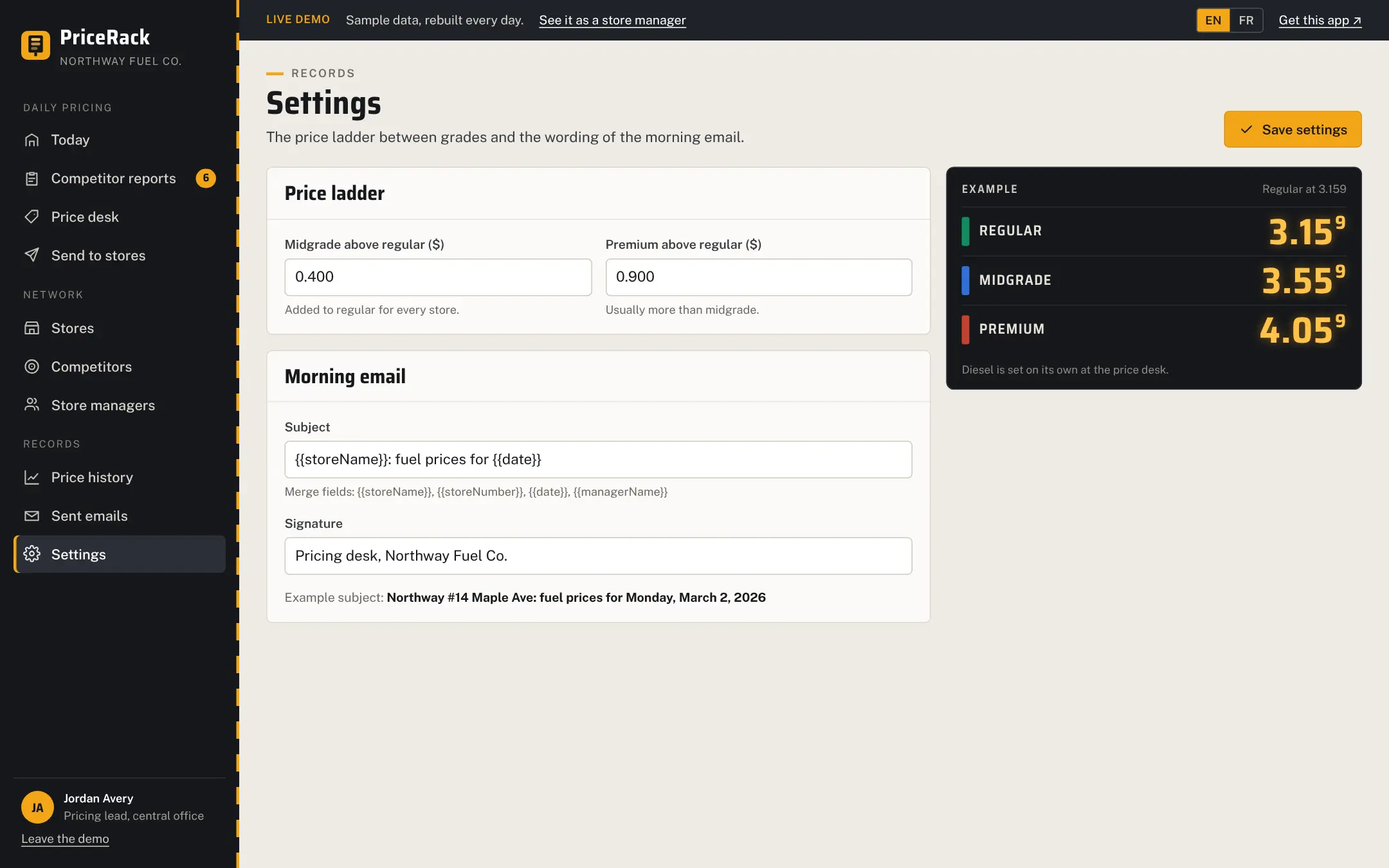
PriceRack settings with the midgrade and premium spreads, an example ladder and the email subject and signature

Two numbers

Midgrade above regular, premium above regular, in dollars. The demo starts at 0.40 and 0.90. Premium must be at least midgrade, and both stay between 0 and 3 dollars, so a typo cannot turn the ladder upside down.

An example shows the ladder for a regular at 3.159 as you type.

Applied everywhere

The price desk shows midgrade and premium as soon as a regular is typed. The email to each store carries the four prices, and the history keeps them, so a question about last month's premium has an answer.

The morning email, in your words

The same screen holds the subject of the price email, with merge fields for the store name and number, the date and the manager's name, and the signature that closes it.

Questions

Asked before the first call

Can each store have its own spreads?

Not in the demo, where the spreads apply to the whole network. A version built for you can let a store or a region keep its own.

Does changing a spread change prices already sent?

No. A sent price stays as it was sent. The new spreads apply to the next prices saved.

Live demo

Run this morning's prices yourself.

PriceRack is a working app, not a mock-up. Check the competitor reports, set regular and diesel for fifteen stations, preview the email each manager gets, and send.